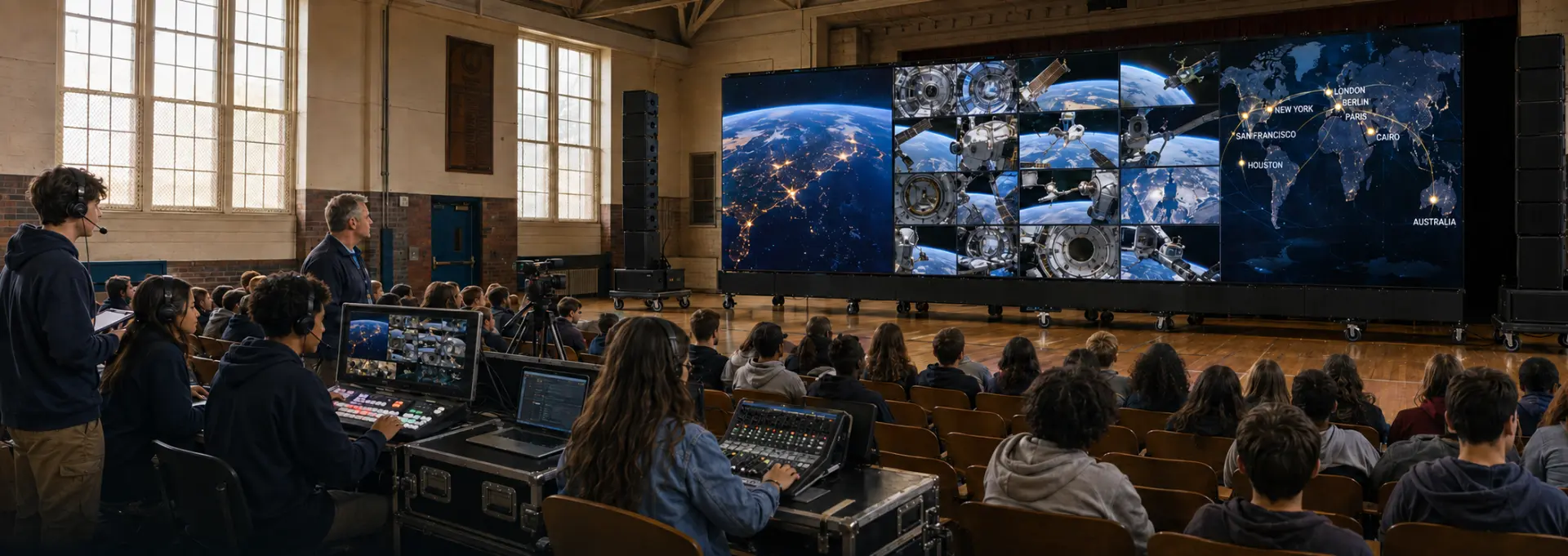
A school assembly hall where students watch a wide multi-panel LED wall showing orbital imagery and a world map while a student crew runs an audio mixer and video switcher from the aisle

Spaceposium Space-STEM Expo System™

Three system levels.
One common platform.

The Foundation is developing a standardized planning architecture for equipping shared school spaces with dependable large-format AV, live-learning, student-production and Space-STEM capabilities. Three preliminary system levels provide a common starting point for estimating and sponsor conversations while allowing every final project to be engineered for its own room, infrastructure and approved budget.

Illustrative concept image

System summary

A common vocabulary for planning.

Each level describes the kind of shared space it suits and the capability a school would gain. Levels are planning categories, not catalogue packages.

Level 1

Spaceposium Discovery System

Working sponsorship target
Approximately $15,000
Best fit
Classroom, library, STEM room or smaller shared learning space.

Typical capabilities may include

  • 85–98 inch commercial or interactive 4K display
  • Wall mount or heavy-duty mobile cart
  • Compact control computer
  • Quality room audio
  • Wireless teacher microphone
  • Webcam or entry PTZ camera
  • Basic streaming and conferencing capability
  • Cabling and power conditioning
  • Spaceposium learning and content access
  • Space-STEM mission materials
  • Installation, testing and initial orientation

The scalable workhorse for broad school deployment.

Level 2

Spaceposium Mission Control System

Working sponsorship target
Approximately $25,000
Best fit
Media center, large classroom, STEM lab or multipurpose room.

Typical capabilities may include

  • 98 inch interactive display or an appropriate large-format projection solution
  • Two or three cameras
  • Production video switcher
  • Streaming and encoding capability
  • Control and production computer
  • Program / confidence monitor
  • Digital audio mixer
  • Two to four wireless microphones
  • Upgraded loudspeakers
  • Student production workstation
  • Portable lighting and tripods
  • Rolling equipment rack or cart where appropriate
  • Recording and storage capability
  • Expanded Space-STEM mission materials
  • Educator and student production orientation

Students move from watching content to producing and broadcasting it.

Level 3

Spaceposium Global Expo System

Working sponsorship target
Approximately $50,000+
Best fit
Auditorium, assembly hall, media center, major multipurpose room or campus showcase space.

Typical capabilities may include

  • Very large-format presentation environment: premium projection or direct-view LED depending on room and scope
  • Professional sound reinforcement
  • Digital mixer
  • Multiple PTZ or broadcast cameras
  • Production video switcher
  • Dedicated streaming encoder
  • Control workstation and operator monitoring
  • Expanded wireless microphone package
  • Stage and presentation lighting where required
  • Confidence display and presenter support
  • Wireless presentation and recording
  • Production rack and infrastructure
  • Full Spaceposium content and learning environment
  • Complete school mission-material collection
  • Educator and student production orientation
  • Commissioning and documentation

A signature campus space able to operate as a Global Space Expo theater, science event venue, student broadcast studio, guest-speaker venue, career-exploration center and community learning environment.

Preliminary planning figures — not quotations

Planning figures are for program development and sponsor conversations only. They are not quotations. Final system scope and cost are established only after room review, technical requirements, procurement, vendor pricing, installation requirements and an approved project budget.

Detailed estimating matrix

Category by category, level by level.

The same fifteen categories are considered in every project. What changes between levels is capability — and what changes between schools is the room, the infrastructure and the approved scope.

Display / visual environment

Discovery
85–98 inch commercial or interactive display
Mission Control
98-inch display or appropriate projection
Global Expo
Large-format projection or direct-view LED

Planning: Room size, viewing distance, ambient light and structural requirements

Audio

Discovery
Room-appropriate sound
Mission Control
Upgraded presentation and production audio
Global Expo
Professional sound reinforcement

Planning: Room acoustics, audience capacity and speech intelligibility

Microphones

Discovery
One wireless microphone
Mission Control
Two to four wireless microphones
Global Expo
Expanded wireless microphone package

Planning: Faculty, presenters, student productions and events

Cameras

Discovery
Webcam or entry PTZ
Mission Control
Two to three production cameras
Global Expo
Multiple PTZ or broadcast cameras

Planning: Coverage, mounting and production requirements

Video production

Discovery
Basic source presentation
Mission Control
Production video switcher
Global Expo
Advanced production switching

Planning: Student production and live-event requirements

Streaming / conferencing

Discovery
Basic conferencing
Mission Control
Dedicated streaming and encoding
Global Expo
Professional streaming architecture

Planning: Bandwidth, district security and IT requirements

Computing / control

Discovery
Compact control computer
Mission Control
Production and control workstation
Global Expo
Dedicated control environment

Planning: District standards, management and support

Monitoring

Discovery
Primary display
Mission Control
Program / confidence monitor
Global Expo
Operator and confidence monitoring

Planning: Production workflow and presenter requirements

Lighting

Discovery
Existing room lighting
Mission Control
Portable presentation and production lighting
Global Expo
Stage and presentation lighting as required

Planning: Room conditions and existing infrastructure

Infrastructure

Discovery
Wall mount or mobile cart
Mission Control
Cart or rack where appropriate
Global Expo
Integrated racks, mounting and AV infrastructure

Planning: Structural, electrical and accessibility requirements

Cabling / power / network

Discovery
Basic connectivity
Mission Control
Expanded signal and network requirements
Global Expo
Integrated infrastructure

Planning: Existing pathways, electrical service and district network

Recording / storage

Discovery
Basic capture where appropriate
Mission Control
Recording and storage capability
Global Expo
Integrated recording and media workflow

Planning: District policy and storage requirements

Space-STEM mission materials

Discovery
Core mission materials
Mission Control
Expanded mission materials
Global Expo
Complete school mission-material collection

Planning: Age range, instructional use and program scope

Installation

Discovery
Installation and testing
Mission Control
Installation and commissioning
Global Expo
Professional deployment and commissioning

Planning: Regional labor, site preparation and local requirements

Orientation

Discovery
Initial staff orientation
Mission Control
Educator and student production orientation
Global Expo
Expanded educator and student production orientation

Planning: Local staffing and operating model

Landed cost

What has to fit inside the number.

Equipment

Displays, audio, video, computing and supporting hardware.

Freight & logistics

Transportation, delivery and handling.

Installation labor

Mounting, termination, assembly and integration.

Infrastructure

Cabling, mounts, racks, power and room-specific requirements.

Commissioning

Configuration, calibration, verification and documentation.

Orientation

Initial educator, operator and student-production familiarization.

Contingency

Allowance for legitimate room and procurement variability.

A sponsor target is useful only when the Foundation understands the real landed cost of delivering a working system.

The objective is not to identify the cheapest collection of hardware. The objective is to establish repeatable, education-ready systems that can be installed, operated and supported responsibly.

Module architecture

Modules, not three unrelated systems.

The Foundation is intentionally developing modules rather than three unrelated systems. This makes estimating, sourcing, training, service and future expansion more manageable.
CORE
Display, control computer, audio, Spaceposium access, installation and orientation.
LIVE
PTZ camera, wireless microphone, conferencing and streaming.
PRODUCE
Multiple cameras, switcher, mixer and a student production workstation.
EXPO
Large-format presentation, advanced audio, broadcast production and stage environment.
HANDS-ON
Space-STEM mission materials, models, activities and learning guides.
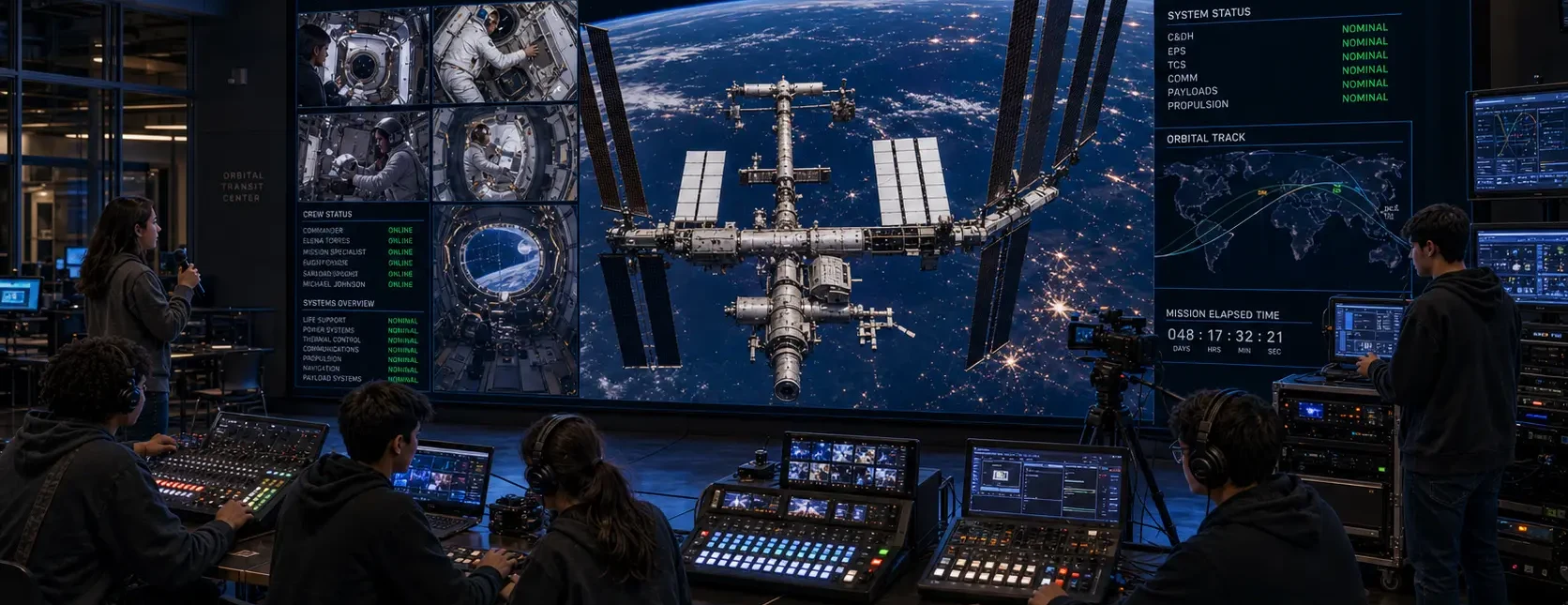
A mission-control-style school installation with a live orbital feed on the main display, telemetry side panels and students operating production consoles
Illustrative concept image. A fully configured system combines display, live feeds and production capability.

Next step

Help turn the planning architecture into deployable systems.